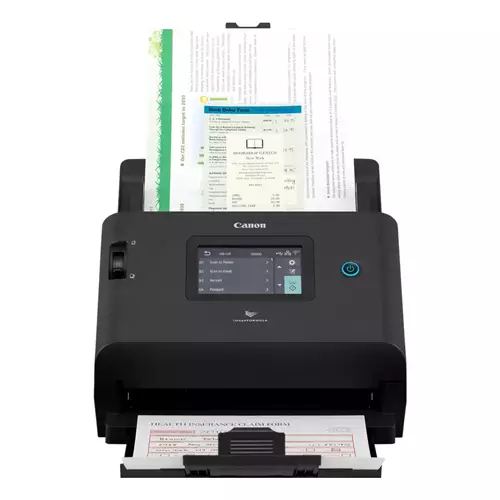
Canon imageFORMULA DR-S350NW ADF + Manual feed scanner A3 Black
Now £598.76
Was £790.99
At Quzo UK
In stock · Price checked 25 Nov 2026
View at Quzo UK (opens in a new tab)Links to shops are affiliate links: we may earn a commission if you buy, and it never changes the price you pay. How we make money
Where to buy
| Shop | Price | Stock | Last checked | Buy |
|---|---|---|---|---|
| Quzo UK |
Now £598.76
|
In stock | Checked 25 Nov 2026 | View at Quzo UK (opens in a new tab) |
Links to shops are affiliate links: we may earn a commission if you buy, and it never changes the price you pay. How we make money
Prices checked 25 Nov 2026
Key facts
- Price
- £598.76
- Shops
- 1 shop
- Sold at
- Quzo UK
- Brand
- Canon
- Last checked
Get a price alert
Details
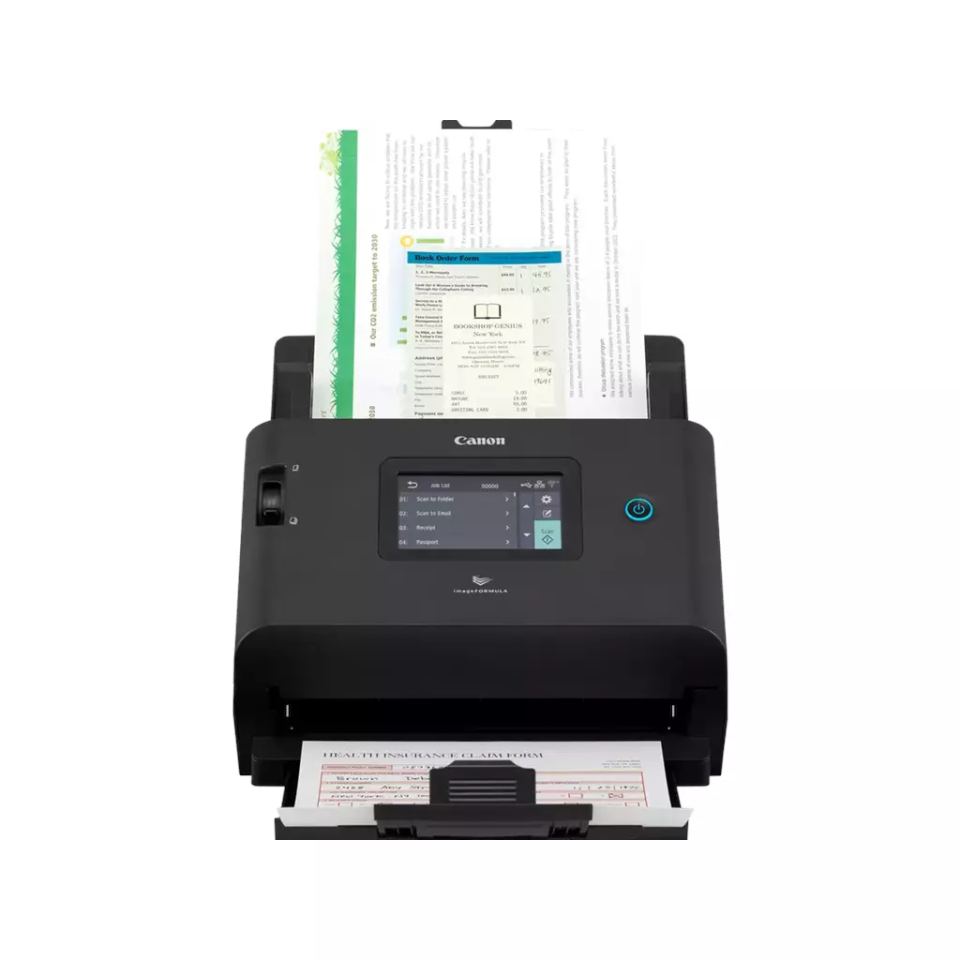
Canon imageFORMULA DR-S350NW A4 DT Workgroup Document Scanner The Canon imageFORMULA DR-S350NW is a powerful A4 desktop scanner designed to support hybrid working with simple and easy scanning made possible with driverless web scanning and direct job scanning connectivity. • Easy hassle-free scanning with web browser and direct job scan using the embedded Canon web application and convenience of driverless scanning saving you time and effort and without need to connect to a computer. • Flexible connectivity and compatibility with a choice of USB LAN and/or WiFi interface working with a variety of devices and operating systems and send images to multiple different types of output destinations. • User-friendly Intuitive operation using the large colour touch screen and predefined job profile icons with image preview and animated help menus to make operation easy for all. • Enhanced security for peace of mind with user access and restriction controls document encryption and robust device and network connectivity measures. • Save costs and time with advanced image processing including OCR productive high-speed reliable scanning and device management tools. • Reduce environmental impact Support the environment by using this highly durable EPEAT Gold certified* device with low power consumption. EASY WEB SCANNING FUNCTION FOR INSTANT CONNECTION Save time and effort thanks to simple web browser scanning. Users on same network can instantly connect their mobile device to the scanner by simply capturing a QR code on the display of the scanner to open the embedded CaptureOnTouch Lite Web software and start scanning - it’s that easy! Or connect via your PC or Mac web browser to take advantage of the easy web scanning function and avoid the need to install any software or drivers. DIRECT JOB SCANNING FUNCTION TO MULTIPLE LOCATIONS The DR-S350NW device also supports direct scanning without need for any additional PC or software. Use predefined scan jobs for all your routine workflow tasks on the device itself for sending files directly over the network to your output destination. The device supports sending scanned files to shared folders email addresses printers and FTP Servers (FTP/ FTPS/SFTP). With the scan-to-mail function users can also send images to Teams or Slack improving collaboration and information sharing. INTUITIVE OPERATION The large 4.3” colour touch screen panel provides clear visibility of all scan jobs and other settings and users can preview scanned images before they are sent to improving accuracy and saving time. Quick help is available through animated GIF images and instructions and the UI can be customised for your individual job workflows. FLEXIBLE CONNECTIVITY The DR-S350NW Scanner has both a USB LAN and WiFi (2.4GHz / 5GHz) interface and supports use with various types of devices including PC Mac Book Chromebook and smart devices (Android and iOS). Also the scanner is Mopria? scan certified and can be used with Chrome OS without the need to install any driver or application. Ideal for easy deployment and versatile use across all types of workplace environments and scan workflow applications. SECURE SCANNING Prevent unauthorised access to the scanner or use of selected features with a range of authentication methods and restriction controls. Disable different connections like WiFi if required and device supports various security protocols including WPA3 and networks needing 802.1X. Device supports adding document password encryption control to ensure only those authorised can access information. SUPERIOR QUALITY AND PRODUCTIVITY Create consistent high-quality images when scanning all types of documents thanks to Active Threshold and other advanced image processing tools. With the heavy duty robust feeder scan various types of documents reliably including passports and ID cards. Save time with fast scanning speeds up to 100 images per minute and take on with confidence heavier workloads with a device that has suggested daily scan volumes of up to 9000 scans/day. POWERFUL SOFTWARE WITH OCR CaptureOnTouch Pro is PC client-based scanning software that offers a user-friendly interface using simple icon-based operation and has powerful document processing tools. Setup jobs to save to multiple formats including PNG JPEG TIFF BMP PPTX Word* Excel* and PDF. Supports OCR barcode and 2D code recognition and output index data files for smooth integration into existing workflows and document management systems. SAVE OPERATIONAL COSTS Flexible central management tools available to support your business and user environments. • Web Menu: Simple method for managing settings for small number of scanners. • DR Scanner Management Tool: Efficient method to simultaneously monitor and distribute settings for large number of scanners in organization. • COT Admin: Server based solution to manage user profiles job workflows with Active Directory and supports using external NFC card for login authentication.
Price history
Today, 25 Nov 2026, the best price is £598.76 at Quzo UK.
Now £598.76
Was £790.99
Links to shops are affiliate links: we may earn a commission if you buy, and it never changes the price you pay. How we make money