 −21% off
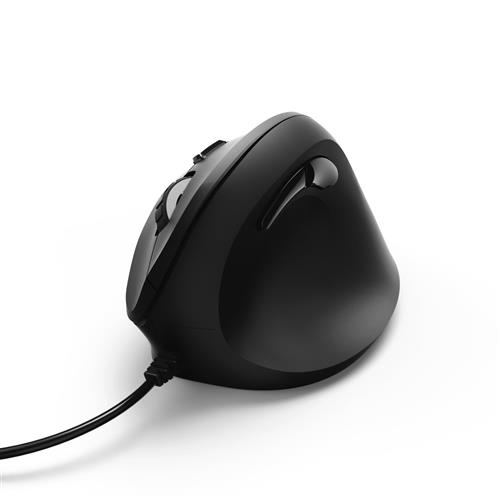
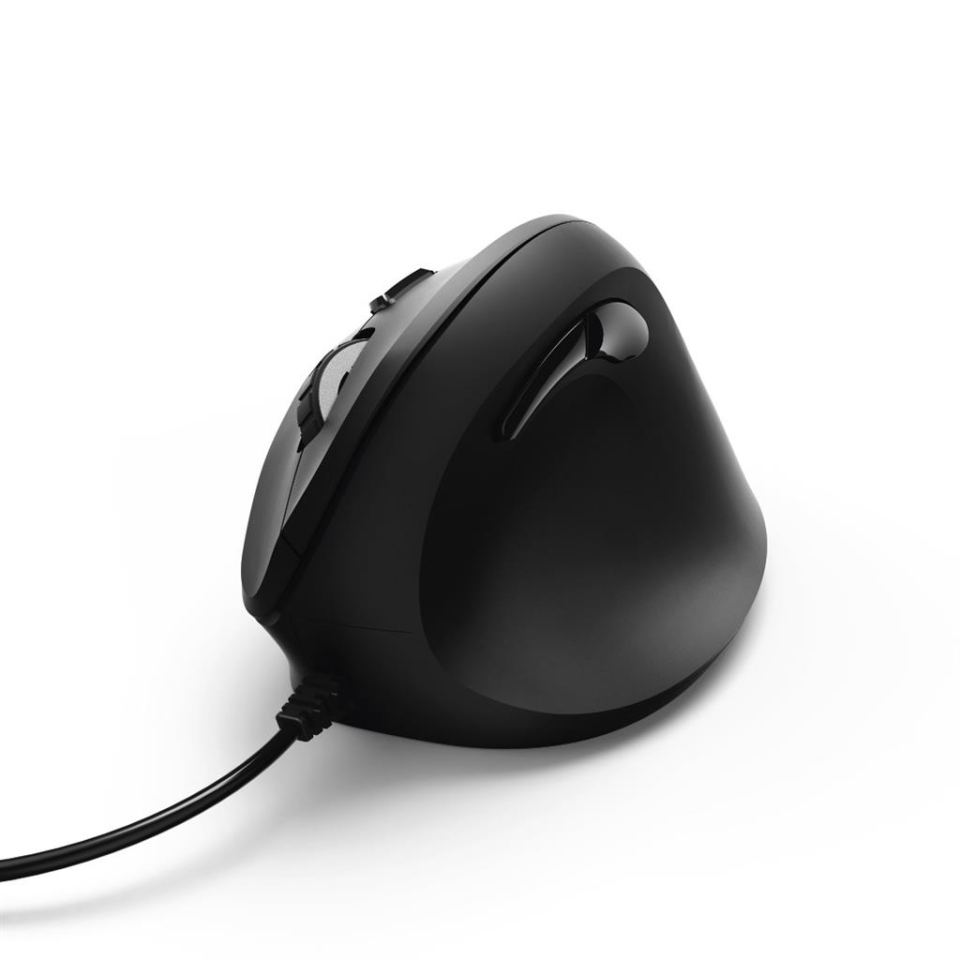
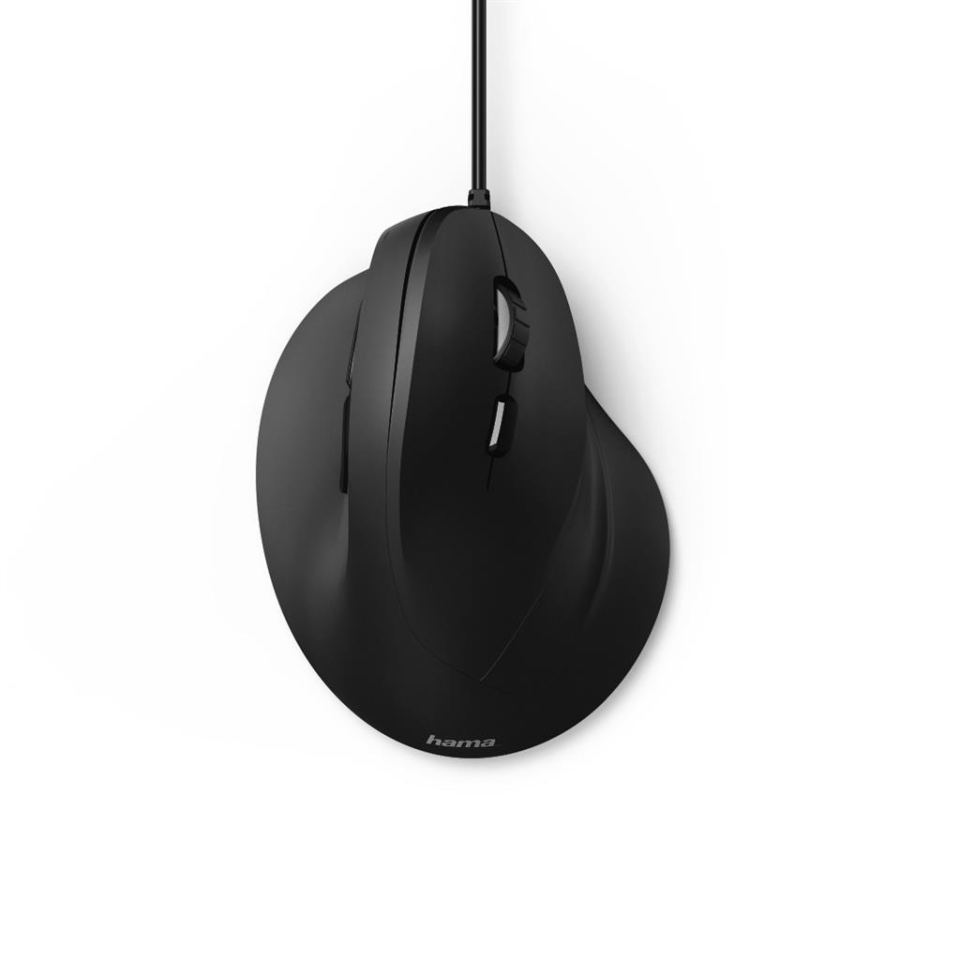
Hama EMC-500 mouse Office Right-hand USB Type-A Optical 1800 DPI
Now £23.44
Was £30.99
At Quzo UK
In stock · Price checked 25 Nov 2026
View at Quzo UK (opens in a new tab)Links to shops are affiliate links: we may earn a commission if you buy, and it never changes the price you pay. How we make money
Where to buy
| Shop | Price | Stock | Last checked | Buy |
|---|---|---|---|---|
| Quzo UK |
Now £23.44
|
In stock | Checked 25 Nov 2026 | View at Quzo UK (opens in a new tab) |
Links to shops are affiliate links: we may earn a commission if you buy, and it never changes the price you pay. How we make money
Prices checked 25 Nov 2026
Key facts
- Price
- £23.44
- Shops
- 1 shop
- Sold at
- Quzo UK
- Brand
- Hama
- Last checked
Get a price alert
Similar products
−38% off
−38% off
−13% off
−36% off
−29% off
−37% off
Belkin
Belkin BBZ010UK keyboard Mouse included Universal RF Wireless + USB UK English Black
Now £23.26
Was £36.99at Quzo UK
−37% off
Lenovo
Lenovo 4X30M56887 mouse Office Ambidextrous RF Wireless Optical 1200 DPI
Now £23.26
Was £36.99at Quzo UK
Details
FOR RELAXED PAIN-FREE WORK AT THE PC AND NOTEBOOK Germans spend an average of seven to nine hours a day at the workplace or in their home office. So it’s all the more important that the desk at work and at home is ergonomically arranged with the aim of maintaining and improving health. In particular the hand that is used to operate the mouse is subject to considerable strain each day. ERGONOMICALLY SHAPED Our vertical ergonomic mouse supports you in assuming an ergonomically correct hand posture and prevents overstraining and pain in the shoulders and wrist. • Natural wrist position and movement • Strain on the muscles is reduced allowing constant blood flow • Additional strain on the wrist through sideways movements • Twisting of the wrist and forearm PRACTICAL BUTTONS Our ‘EMW-500’ mouse is not a simplified version of a standard mouse but is equipped with everything needed to make office work with a mouse easier and more relaxed. Use the browser buttons to easily navigate back and forth within your Internet browser. • Vertical design • two sidelong buttons • ergonomic shape MOUSE WITH ADJUSTABLE SENSITIVITY Depending on the kind of work you do at the PC you can set the mouse sensitivity (dpi) entirely according to your needs – up to a maximum of 1800 dpi for high sensitivity and fast mouse movements or 1000 or 1400 dpi for slower mouse movements and lower sensitivity. In your home office you can lounge around on the sofa comfortably with the mouse – the cable length of 1.8 metres allows creative sitting positions. Please note: Due to the ergonomic design operation of the mouse may initially seem a little unfamiliar and uncomfortable. Spend a few days getting used to the new feeling. This mouse is compatible with the Windows 10/8/7 and Mac OS 10.10 (or higher) operating systems. • Vertically designed mouse prevents excessive strain and pain in the shoulder and wrist • DPI switch for adjusting the pointer speed • High-resolution optical sensor ensures precise and smooth control of the mouse cursor • Browser buttons provide quick access to the forward/back functions in the Web browser for easy navigation • Rubberized surface for improved grip and comfort
Buying guides
-
Where to buy Xiaomi in the UK: the official store and what to check
Xiaomi sells its Xiaomi, REDMI and POCO products in the UK through its own online store, mi.com/uk. What that store sells by category, what to check before you order (plug, warranty, 5G bands, SIM), and how AvihShopping lists it.
Price history
Today, 25 Nov 2026, the best price is £23.44 at Quzo UK.
Now £23.44
Was £30.99
Links to shops are affiliate links: we may earn a commission if you buy, and it never changes the price you pay. How we make money