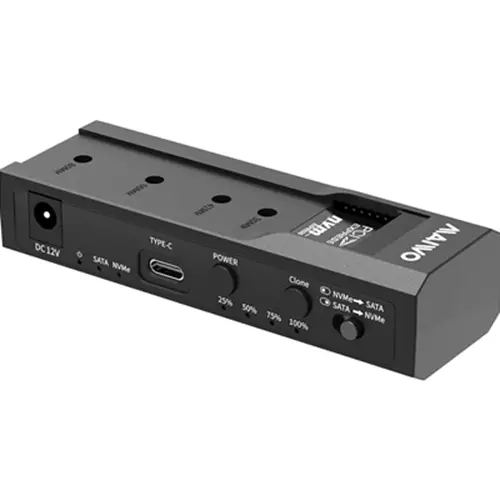
MAIWO K10635N Dual Bay USB Type C Hard Drive Enclosure HDD / SSD Duplicator for 2.5/3.5 Inch SATA Hard Drive and M.2 NVMe SSD Support Offline Clone and Transmission Speed Up to 10Gbps w/ 12V/3A Power
Now £49.47
Was £77.99
At Quzo UK
In stock · Price checked 25 Nov 2026
View at Quzo UK (opens in a new tab)Links to shops are affiliate links: we may earn a commission if you buy, and it never changes the price you pay. How we make money
Where to buy
| Shop | Price | Stock | Last checked | Buy |
|---|---|---|---|---|
| Quzo UK |
Now £49.47
|
In stock | Checked 25 Nov 2026 | View at Quzo UK (opens in a new tab) |
Links to shops are affiliate links: we may earn a commission if you buy, and it never changes the price you pay. How we make money
Prices checked 25 Nov 2026
Key facts
- Price
- £49.47
- Shops
- 1 shop
- Sold at
- Quzo UK
- Brand
- MAIWO
- Last checked
Get a price alert
Details
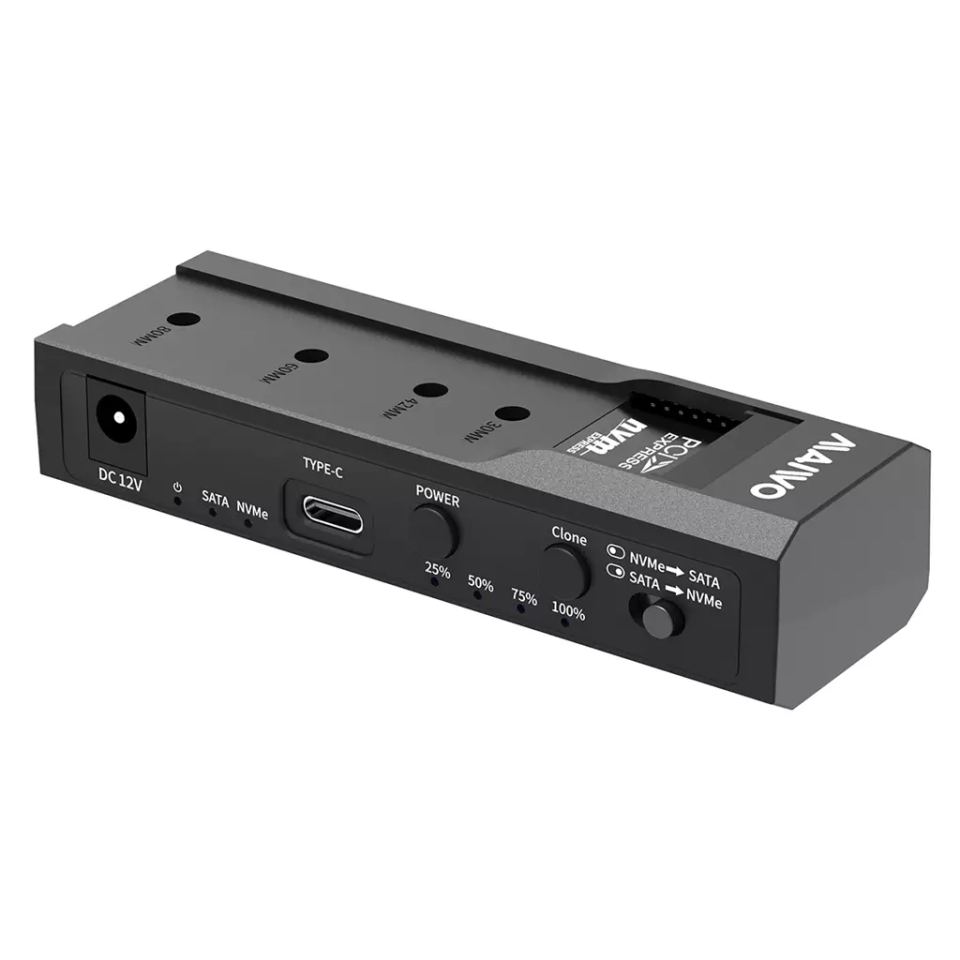
Maiwo K10635n Type C 10Gbps To Dual Bay Hdd/Nvme M2 Ssd Clone Converter For 2.5" And 3.5" Sata Key Features Screw-Less Design Easy To Install Hdd And Ssd Compatible For Different Kinds Of Hdd/Ssd In The Market Including M-Key Nvme Ssd2.5" Sata Hdd/Ssd And 3.5" Sata Hdd Can Recognize Two Disks Simultaneously When Connecting With Pc Support M-Key Nvme Ssd Offline Clone Dual Way Can Copy 2.5"/3.5" Sata => Nvme Or Nvme => 2.5"/3.5" Sata Switch To Control Source And Target Disk Four Led Lights Indicate Clone Progress 25%50%75% And 100% Interface: Type C To Sata/M-Key M2 Support Ssd Size: 223022422260 2280 Usb Speed To 10Gbps Max Support U.A.S.P Will Improve Speed 30% At Win8 Or Above Compatible With Windows Mac And Linux Unit Size:108 X 35 X 24 Mm Clear Indicator Light Drive Indicatior Light Flashes When Read Write Light Goes Off When In Sleep Mode. Clone Indicator Light Flashes When Cloning Light Up When Cloning Is Finished. Step 1 Insert 2.5"/3.5" Sata Drive Into The Sata Port Or Insert M.2 Nvme Ssd Into The M2 Port. Step 2 Spin The Silicone Cork To Fix The M.2 Hard Drive. Step 3 Connect The Adapter To Your Device Via Data Cable. Step 4 Connect The Power Adapter And Open The Power Switch. Clone Operation Steps Step 1 Choose The Clone Mode Make Sure The Capacity Of The Target Drive Is Larger Than Or Equal To The Source Drive Connect The Power Adapter Open The Power Switch The Power Light Lights Up And Then The Two Drive Indicators Light Up Step 2 Long-Press Clone Button For 5 Seconds And The Clone Indicator Flashes Press Clone Button Within 5 Seconds To Enter Clone Mode Corresponding Progress Indicators Start To Flash When Cloning Indicators Are On Once Cloning Is Finished Note: You Must Remove The Usb-C Cable From The Pc For The Cloning Process To Work Box Contents Package Content: 1 X Adapter 1 X Cable 1 X Power Adapter 3 X Screws 1 X Manual 1 X Warranty Card Warranty 1 Year
Price history
Today, 25 Nov 2026, the best price is £49.47 at Quzo UK.
Now £49.47
Was £77.99
Links to shops are affiliate links: we may earn a commission if you buy, and it never changes the price you pay. How we make money